

Every device under one DOME.
Antivirus, threat detection, network defence, patching, identity checks and a private VPN — on one calm screen that mostly runs itself. Built on the protection already inside Windows, so it stays light.
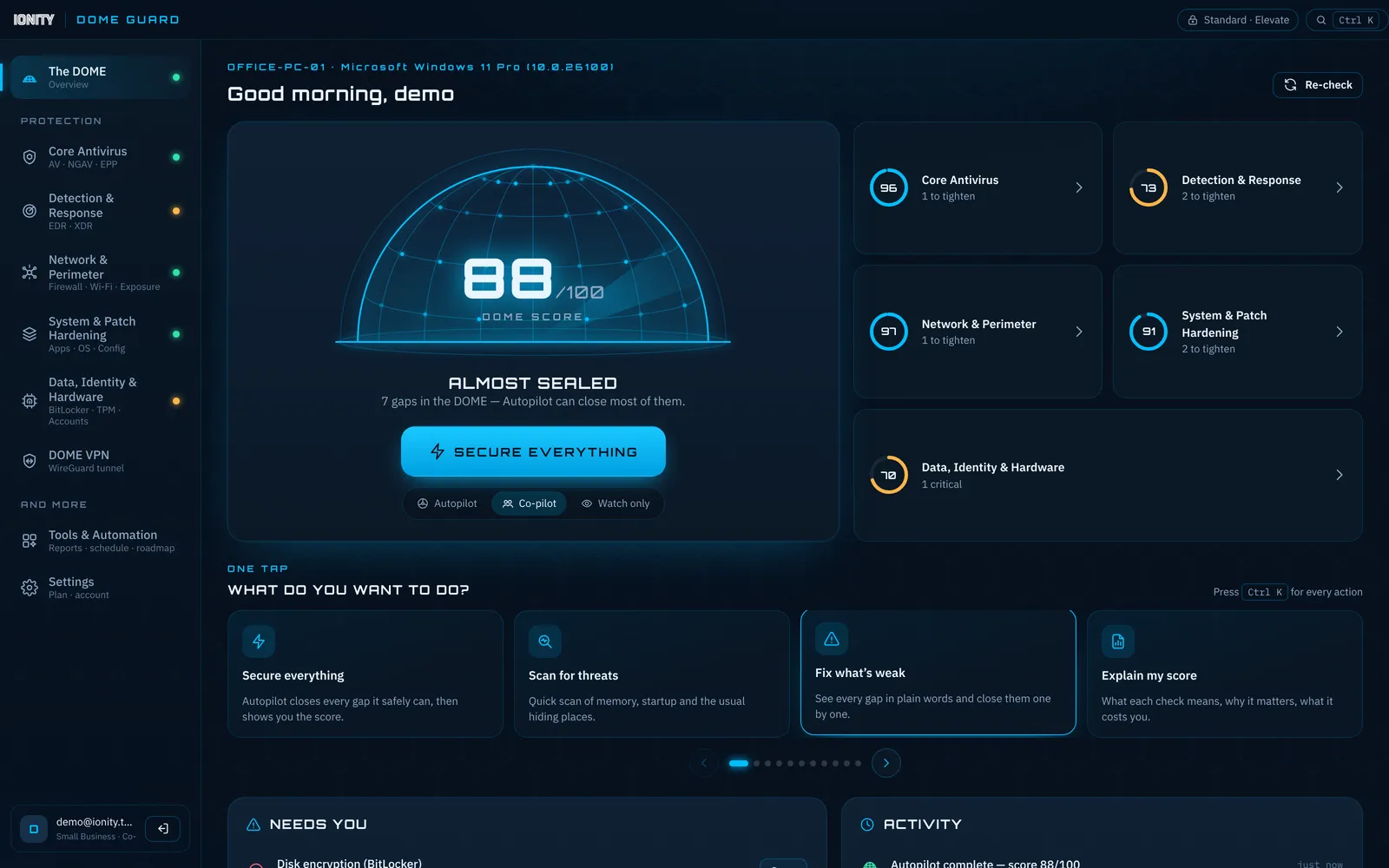
Six layers. One score. No noise.
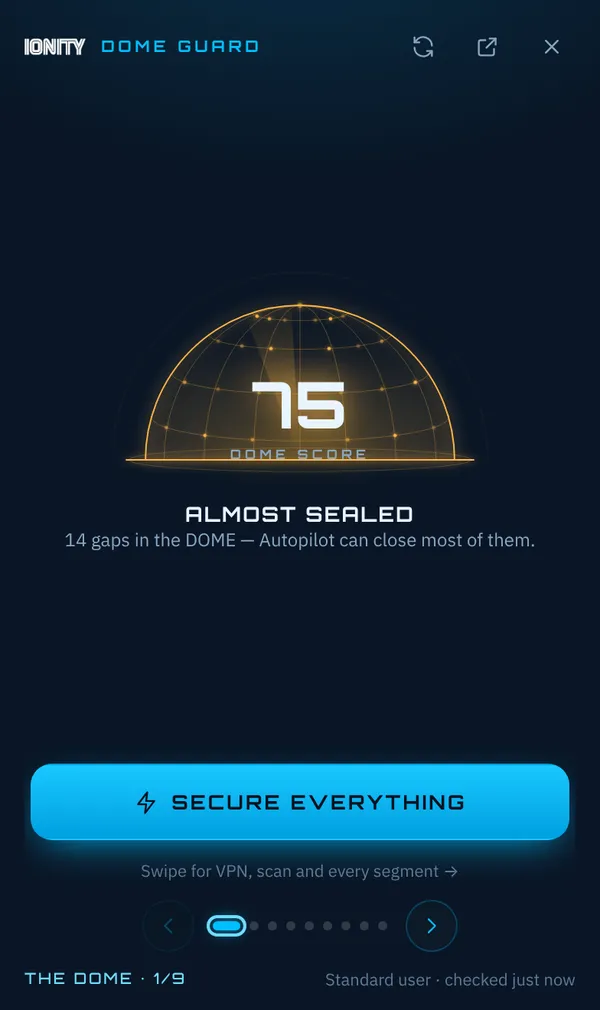
DOME Guard reads your PC live, turns it into one number out of 100, and fixes what it safely can — in the mode you choose.
Core antivirus
Real-time protection, cloud intelligence, ransomware and attack-surface rules — Defender, tuned and watched.
Detection & response
Suspicious processes, startup entries, scheduled tasks and security events, explained in plain words.
Network & perimeter
Firewall, open ports, SSH and Remote Desktop, live traffic, upload limits, hosts and proxy hijack checks.
Patching & hardening
Out-of-date apps updated silently, Windows Update status, core isolation, SmartScreen and AutoRun.
Data, identity & hardware
BitLocker, TPM, Secure Boot, admin accounts and drive health — the things thieves count on you skipping.
DOME VPN
Your own private VPN server, set up automatically. WireGuard first, OpenVPN on port 443 when networks block it.
Compliance & reports
POPIA, CIS, NIST and ISO 27001 mapping, weekly email reports and a tamper-evident audit log.
Autopilot, your way
Autopilot fixes safe things, Co-pilot asks first, Watch-only never touches a thing. File locking is never on by default.
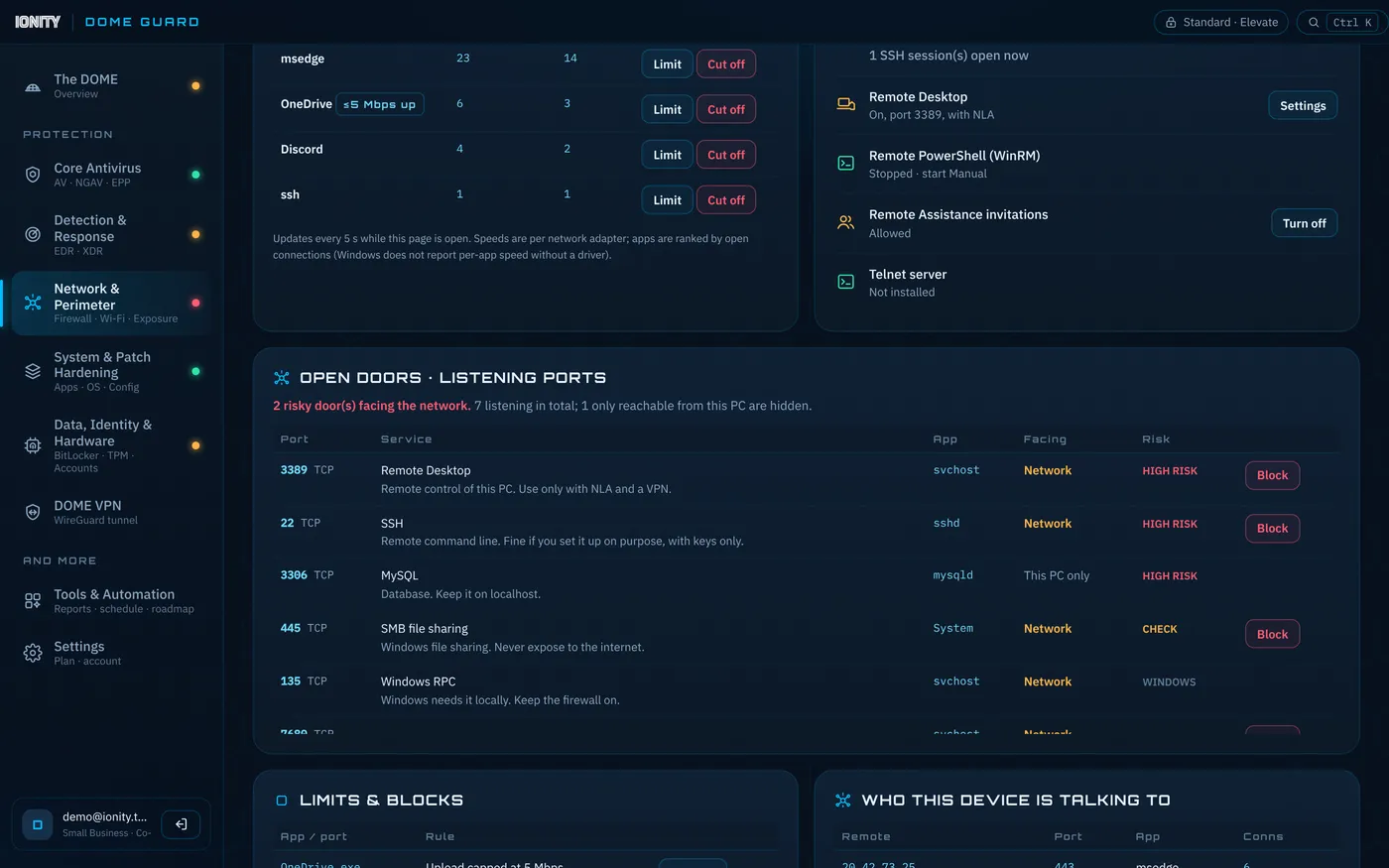
See every open door.
- Listening ports with the app behind each one, whether it faces your network, and a risk tag. One tap blocks it.
- SSH, Remote Desktop and WinRM — on or off, passwords allowed or keys only, who's connected.
- Live traffic per adapter and which apps are talking to the internet. Cap an app's upload or cut it off.
- Privacy traces — DNS cache, hosts-file redirects, forced proxies, browser cookie and cache sizes.
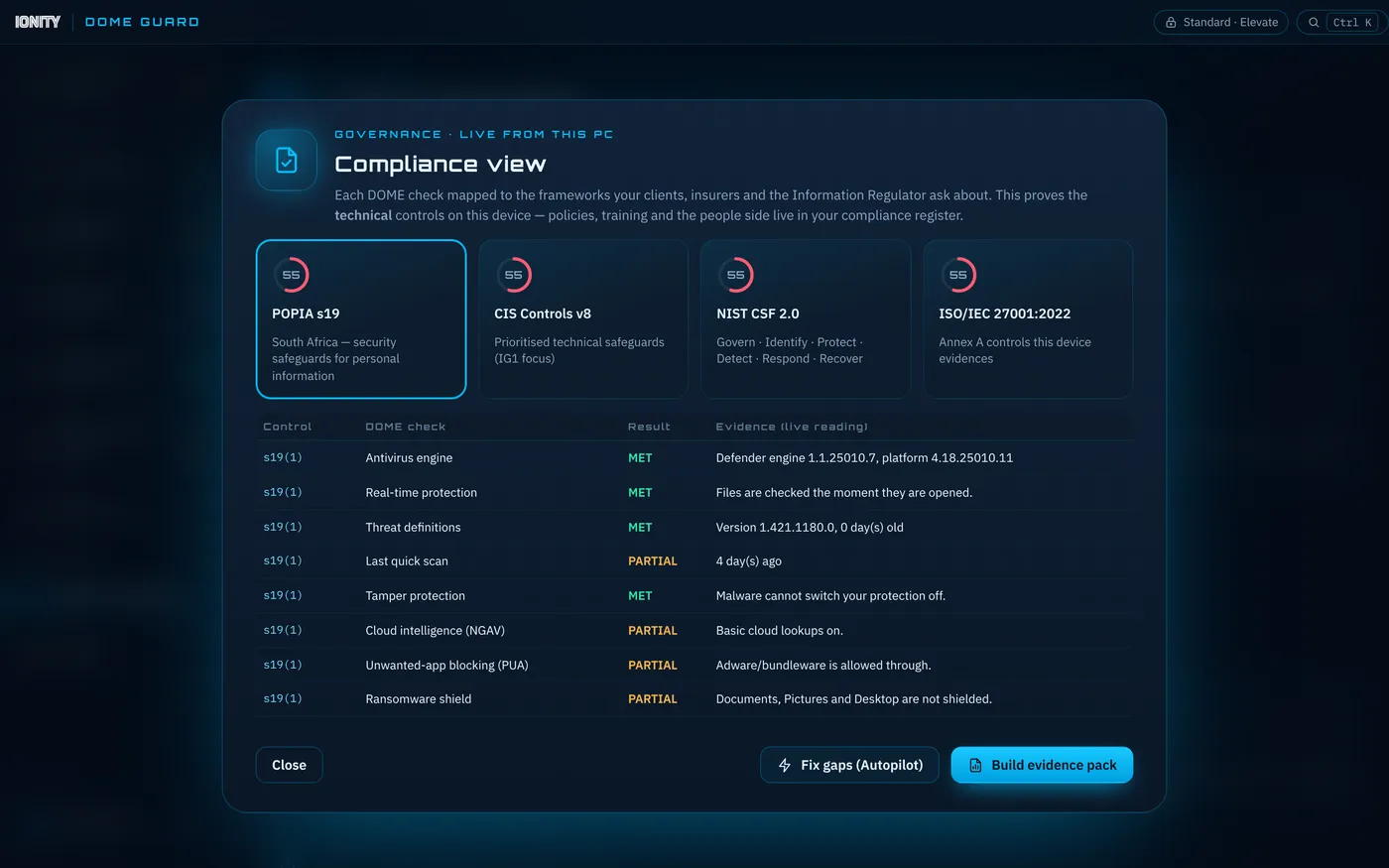
Proof, not promises.
- Compliance view maps every check to POPIA section 19, CIS Controls v8, NIST CSF 2.0 and ISO/IEC 27001.
- Weekly report to the owner, IT or Information Officer — through your own mailbox, never ours.
- Tamper-evident audit log: each record is sealed to the one before it, so edits show.
- Evidence pack in one click for clients, insurers and auditors.
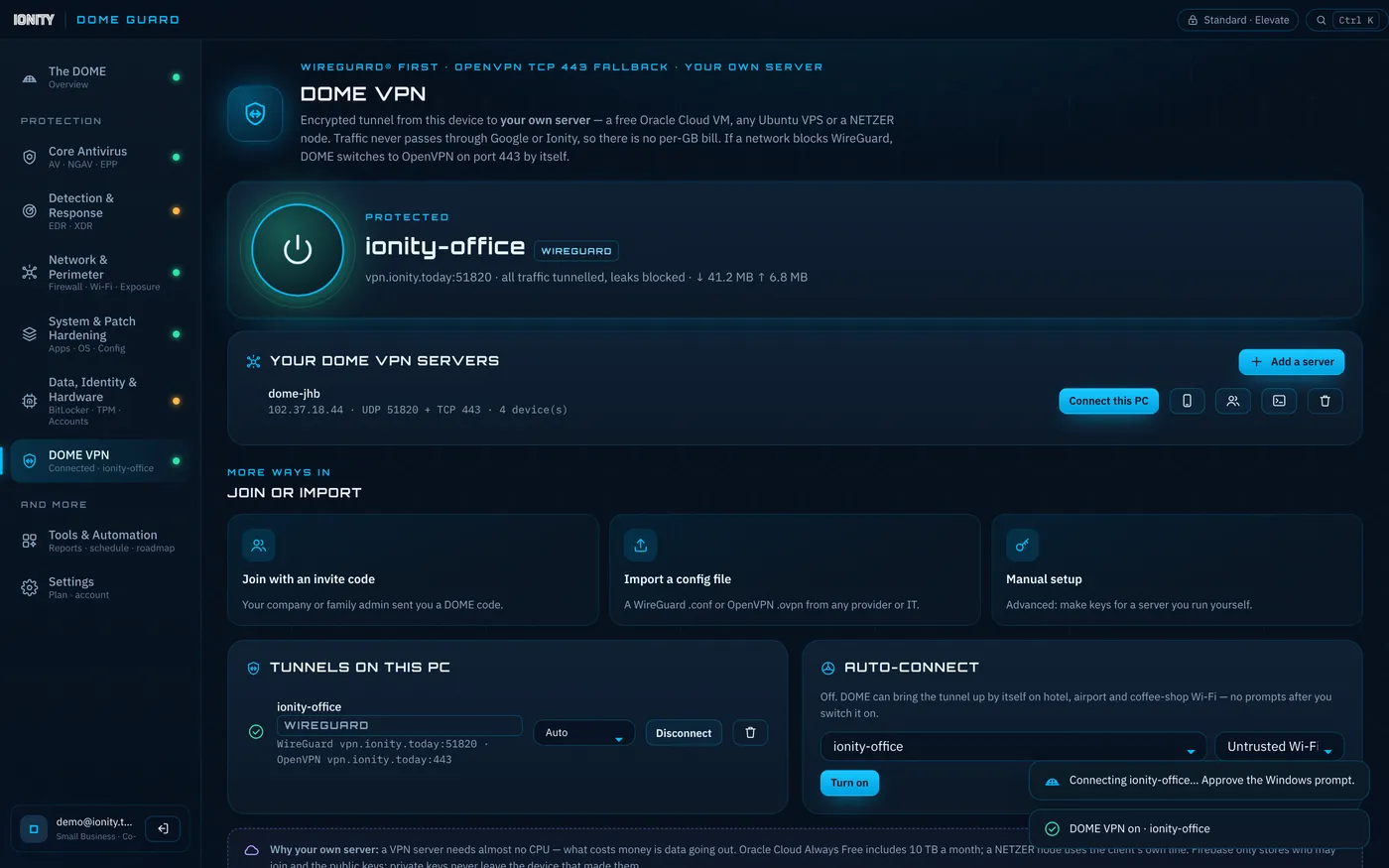
Your own private VPN.
- Runs on your server — a R0 cloud VM, an office box or an Ionity edge node. Your traffic never passes through us.
- Set up automatically: one install command, then join PCs and phones with an invite code or QR.
- Auto-connects on untrusted Wi-Fi.
Protected in three steps.
Download & sign in
A 1.4 MB download — open the zip, run DomeGuard-Setup, no admin needed. Create your DOME account in seconds.
Answer three questions
Who you protect, how hands-off you want it, and what worries you most. DOME shows the plan before changing anything.
Let it run
A daily sweep keeps definitions fresh, scans quietly and keeps your score up — even with the window closed.
Every PC, in your pocket.
See the DOME score, gaps and threats of every PC you protect, and set up DOME VPN on your phone — straight from your phone's browser. No app store needed.
One price. Everything included.
- All protection segments, Autopilot, Co-pilot and Watch-only
- Network control: ports, SSH, monitor, limiter, privacy traces
- DOME VPN on your own server (WireGuard + OpenVPN)
- Compliance view, weekly email reports, audit log
- DOME mobile web app
- All updates for the year
Straight answers.
Is DOME Guard an antivirus?
It uses the antivirus already in Windows — Microsoft Defender — and makes it work properly: turns on the protections that are off, keeps definitions fresh, scans on a schedule and explains every finding. It does not add a second scanning engine, which is why it stays light.
Will it slow my PC down?
No. DOME sleeps in the tray, checks are short PowerShell readings, and the window suspends itself when hidden. The heavy lifting is done by Windows' own built-in engines.
Will it lock or encrypt my files?
Never by default. File encryption and the ransomware shield can block apps or lock files, so they are opt-in only, with a clear warning and a key backup first.
What data leaves my PC?
Your sign-in email, and — only if you use them — your VPN public keys and an opt-in device summary for the mobile app. Security readings stay on your PC. Reports go out through your own mailbox. See the privacy notice.
Windows says "Windows protected your PC" when I run the installer.
That is SmartScreen being careful with a new publisher while our code-signing certificate is being issued. Click More info → Run anyway. You can check the download against the release on request at info@ionity.today.
Does it work on Mac or phones?
The full app is for Windows 10 and 11. Phones get DOME mobile (score and VPN set-up) from the browser, and the DOME VPN works on Android and iPhone through the WireGuard app.
Who makes it?
Ionity Global (Pty) Ltd, Centurion, South Africa — reg. 2026/276325/07. Found a security issue? Please read our disclosure policy.